Nine terminal tabs.
Six agents running.
Which one is waiting for you?
You stopped being the person writing the code and became the person supervising four of them. Chute is the part nobody built for that job: every session in your menu bar with what it is doing right now, and the fastest path from a Finder selection to an agent that cannot see it.
Animated illustration of the Chute menu bar. Three sessions are listed, each a project, its state and agent, and its load. Two keep working, shown as a hollow orange square. The third, 37.chute, goes from working to blocked — a big solid red square — and lifts to ask for you; the menu bar icon’s own corner pip turns red at the same moment. A click turns it ready, a smaller solid green square, and it settles back to working before the loop repeats.
Both surfaces — the menu bar and the Finder menu. Free and MIT: no account, no licence key, no trial. It compiles on your machine, so nothing is downloaded, macOS never quarantines it, and Gatekeeper never asks.
Driving an agent already? Paste this at it: Set up Chute for me — https://github.com/avaluev/chute
A solid square wants something from you: red is blocked, green is ready. A hollow square is motion — orange working, grey where Chute cannot see the session at all. A small square is a shell with no agent in it. Size means that one thing and nothing else; fill does the work colour cannot, because unknown and idle are both grey. And the row spells the state out in words beside the dot, because roughly one man in twelve cannot tell that red from that green — “blocked 3 min” reads the same to everyone.
The project name comes from the session’s own git root — asked of the kernel, not read off a terminal window title you can rename by accident. Where the kernel cannot resolve the directory at all, the title is the last resort rather than the first guess. Either way the path it was derived from prints underneath it, so a wrong guess is visible instead of silent.
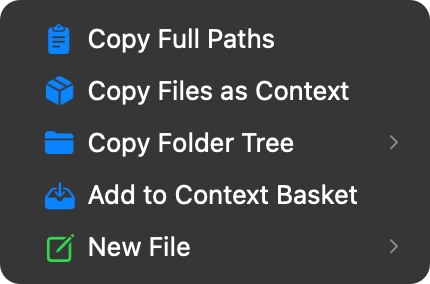
The other half is in Finder.
Right-click a selection and the rows sit inline in the menu you already opened — no Chute ▸ submenu to go through first. Select a folder, pick Copy Files as Context, and every file inside it is on your clipboard as one blob with a token count, ready to paste.
Drawn from the same table the extension builds the real menu from, so it cannot show you a row the app does not have.
Why this exists now
Agents got autonomous. Supervising them did not.
Software used to need you in the chair. Now you give it a job and walk off — and the only thing standing between you and a finished task is whether you happened to look at the right tab.
In September 2026 a developer bolted a physical USB traffic light to their monitor so they could see, from across the room, whether Claude Code was waiting on them. The replies were not jokes. They were people asking where to buy fifteen.
The bottleneck stopped being how fast the model works. It is how fast you notice it stopped.
What it costs
80.7 min
a day, thirty seconds at a time, across the Finder menu and the menu bar
And that is only the part anyone put a number on. An agent blocked on a permission prompt for twenty minutes costs twenty minutes in which nothing happened at all — no figure on this page counts that, because we cannot measure it honestly.
What it does
The loop you are already running
Brief it, steer it, watch it, land what it made — that is the loop, and everything below sits in one part of it.
Know which one needs you
You are running more sessions than you can watch. The one that stopped is costing you wall-clock, and it looks identical to the four that are still working.
Hand it the context
The agent can read anything and still has to be told what. Everything here is the gap between a selection you can see and a prompt it can act on.
I need to give it this whole folder and I'm feeding it one file at a time.
41.1 min a day →
Option-right-click, Copy as Pathname, fix the quoting, repeat. Thirty-two times a day.
9.1 min a day →
It keeps asking where things are because it cannot see the project.
4.5 min a day →
The key is in my Keychain and it is about to be in my shell history.
13.4 min a day →
The files I need are in four different folders and the clipboard holds one thing.
8.2 min a day →
I want to share this log but I have not read every line of it.
5.8 min a day →
The agent cannot see the screenshot I am describing to it.
2.7 min a day →
I paste the context, wait, and find out it was too long.
attention, not seconds →
Shape what it does
A vague brief comes back as four things done badly, or as a factory where you wanted a function. Cheaper to say it up front than to review it after.
Take back what it made
It says it is done. Where is the file, what did it touch, and can you undo it — before you find out by reading a diff you did not ask for.
Command-N, Command-V, Command-S, find the folder, type a name. Twenty-five times a day.
12.9 min a day →
I come back after lunch and reconstruct what I was in the middle of.
8.8 min a day →
It says it is done. I have no idea what it touched.
4.9 min a day →
It says it wrote the file. Where.
4.3 min a day →
Someone needs to see this one file and it does not belong in a commit.
2.8 min a day →
I saved it as .txt again.
2 min a day →
Trust
Built for a repo an agent is about to rampage through
The Finder menu cannot destroy anything
Every row it offers reads, copies or adds. Nothing in it writes over your files, moves them or deletes them — the two commands that once could were removed in August rather than made safer.
Snapshots cannot lose work
checkpoint stages into a private index file. Your index, worktree and HEAD are never touched — it only ever adds a branch.
Keys are read from the Keychain only
It prints key names, never values, and refuses to create a .env that git would track.
There is no network code in Chute at all
Not “nothing is uploaded” — one command, gist, does upload, and it does it by shelling out to your own gh with your own credentials, on the files you name, after redacting keys. Chute itself never opens a socket. Check it: grep -rn URLSession Sources/
Install
Free, MIT, and four ways in
There is no licence key, no trial clock and no account. There is also no Apple Developer ID behind this project — so the install that compiles on your own machine is not the awkward option here, it is the good one.
One line — the whole app
Clones, builds and installs the app, then registers the Finder extension. Nothing is downloaded, so nothing is quarantined and Gatekeeper never runs. It is forty lines and you can read it first — piping a stranger’s script into a shell deserves that much.
Let your agent do it
Paste that at Claude Code, Codex or whatever you already have open. The repository carries the instructions an agent needs to install it and wire the hooks up, and it will ask you before it touches anything of yours.
The disk image
Download .dmgUnsigned and unnotarized. macOS will say it cannot verify the app, and will offer you Done and Move to Trash — neither of which opens it. The release page walks the four steps that do. Ships with a SHA-256 to check.
Homebrew — the terminal tool only
This installs the free command-line tool and not the app: no menu bar, no Finder menu. Take it if the terminal is where you want to live, or to read the engine before you install anything with a window.
Why so blunt about Gatekeeper? Because the alternative is a reader who downloads it, hits a dialog nobody warned them about, and concludes the thing is broken. It is not broken. It is unsigned, which is a different sentence, and the two installs above walk straight past it.
Open source
It is all on GitHub, and so am I
Chute is MIT licensed, every line of it — the app, the Finder extension and the CLI. Read it, fork it, take the bits you want. Issues and pull requests are welcome, and there is no contributor agreement to sign.
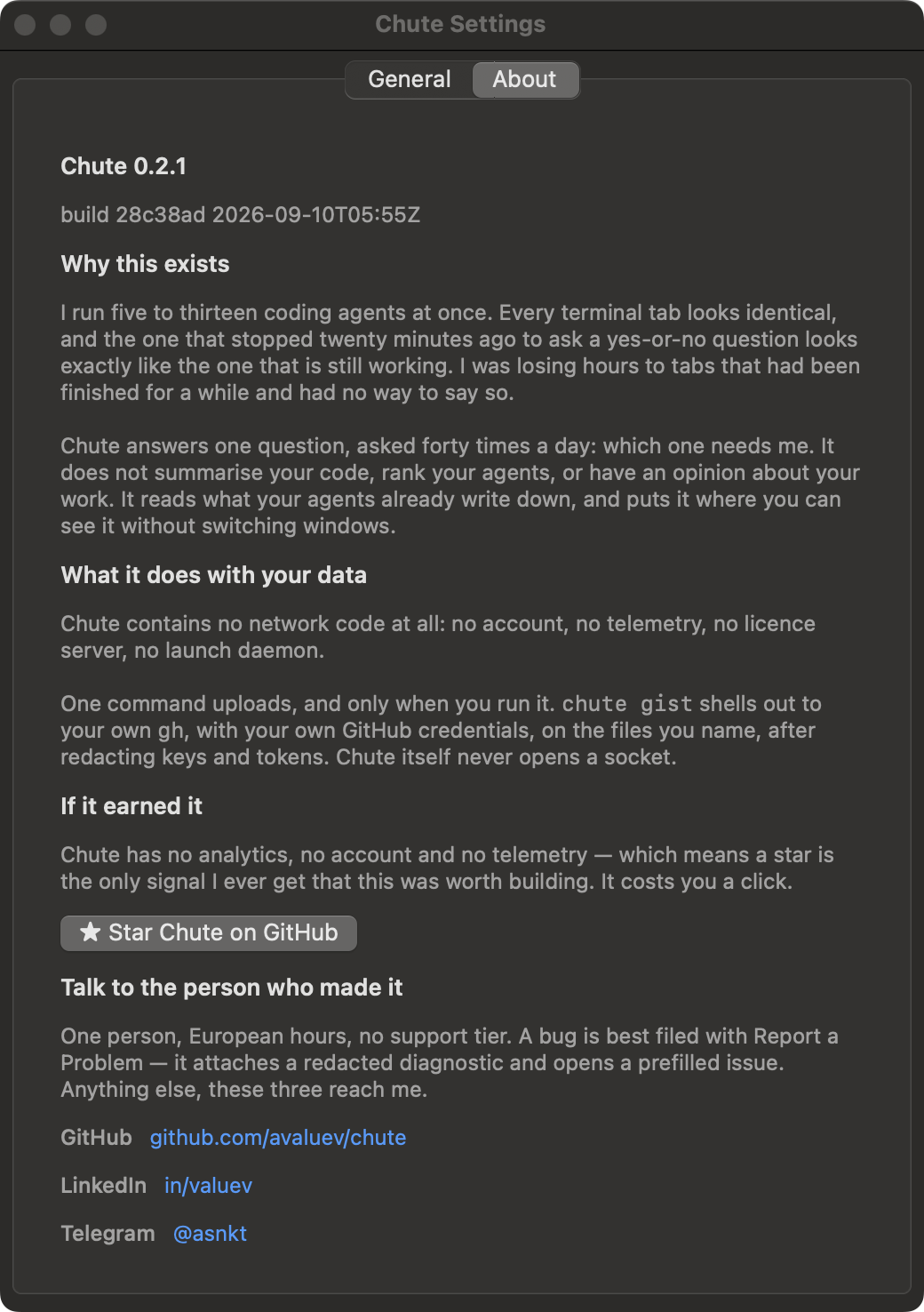
The same tab is in the app — Chute menu bar → Settings → About.
Questions